
Your App Needs a Recorder: What to Ask First
Questions software teams should ask before choosing recorder hardware: app flow, audio path, firmware, SDK scope, volume, and fit.
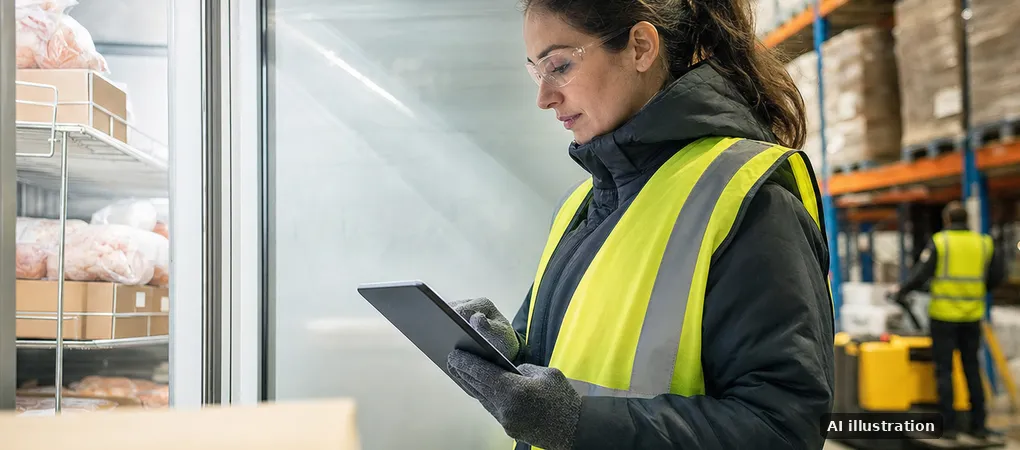
The field auditor has one hand on a clipboard, one hand on a freezer door, and no patience for pairing drama. Your AI app is ready to summarize the visit; now the recorder has to behave like part of your product, not a gadget taped onto it.
Use this example: a software team building a field inspection app needs a wearable recorder for long site visits, noisy aisles, and later review in its own cloud. The hardware decision is not “which recorder sounds good?” It is “which product architecture keeps the user, audio, firmware, and data under the right owner?”
Start with the app the user opens
If the user opens your app to start, stop, sync, and review recordings, you need hardware that can be controlled by your software. That usually points to a BLE-connected recorder with an SDK, not a finished consumer recorder with its own app workflow.
If the user can tolerate opening the recorder maker’s app, exporting files, and then importing them into your system, finished consumer hardware may be enough. It is cheaper to start, but the workflow belongs to someone else.
- Your app leads: choose SDK-controlled hardware and define pairing, recording control, sync, identity, and updates.
- The recorder app leads: buy finished devices and accept the handoff cost in user behavior.
- No phone nearby: consider Wi-Fi upload to your cloud endpoint or private server on a platform that supports it.
For teams comparing BLE-first options, this BLE AI voice recorder ODM guide is the right next read because it frames the recorder as part of your app, not a standalone accessory.
Decide where audio goes
In the inspection example, audio can move through the phone over BLE, then into the software team’s cloud. The app handles the user session, the SDK handles pairing, recording control, file sync, retry, and device status such as battery, storage, and firmware version.
The other path is direct upload over Wi-Fi to the customer’s cloud endpoint or private server. GMIC’s MIC05 and MIC06 platforms support Wi-Fi plus Bluetooth 5.3, with encrypted firmware; MIC06 also supports private-server deployment.
The recorder is not the product. The recording path is the product.
Ask who owns firmware behavior
A consumer recorder gives you whatever firmware behavior already exists. Button presses, sleep rules, LED states, file naming, retry behavior, and update flow are not yours to shape.
Platform customization changes that without creating a new device from scratch. On GMIC paths, firmware behavior, button logic, upload endpoint, and SDK integration can be adapted while keeping the existing industrial and mechanical design.
- White label: logo, packaging, manuals, and app branding, typically around 500 units.
- Platform customization / OEM: firmware behavior, endpoint, button logic, and SDK work, typically around 500 units.
- Full ODM: new ID/MD, tooling, PCB, audio, and battery work, typically around 2,000 units.
Know what the SDK must cover
The inspection team should not spend its MVP fixing basic device plumbing. A useful SDK covers pairing and reconnection, recording control, file transfer and sync with retry, device status, OTA firmware updates through the customer’s app or cloud, device identity, authentication to the customer endpoint, documentation, and support.
That still leaves product work for the software team: consent flow, user roles, transcript handling, AI processing, retention policy, and the review interface. On every GMIC path, the customer keeps its own app, speech-to-text, AI, and data.
Key question: are you buying a recorder, or specifying an input device for your software?
If it is the second, ask for the app flow, audio path, firmware ownership, SDK scope, and production plan before you compare unit samples.
Pick the hardware path by commitment level
White label makes sense when the device form is acceptable and the main need is branded packaging and a faster route to market. For teams at that stage, this white-label AI voice recorder overview explains the lighter path.
OEM platform customization is the practical middle ground for many software companies. You keep the existing shell and electronics, but adapt behavior so the recorder feels like part of your product.
- MIC01: push-to-talk, Bluetooth 5.3, 128 MB, up to 8 hours, 8.8 g.
- MIC05: aluminum body, Wi-Fi plus Bluetooth 5.3, 1 GB, up to 10 hours, 50.5 g, hardware noise reduction, NFC, encrypted firmware.
- MIC06: Wi-Fi plus Bluetooth 5.3, 1 GB, up to 9 hours, 56.5 g, slide-touch control, gyroscope, NFC, encrypted firmware, private-server deployment.
Full ODM is for a product that needs new enclosure design, mechanical changes, PCB work, battery changes, or a different audio architecture. Display, camera, or cellular connectivity can be added, but those move the work into full ODM scope because they change the architecture.
Be honest about volume and timing
Custom hardware starts making sense when the workflow, data path, and brand experience matter enough to justify engineering and production work. GMIC evaluates proof-of-concept runs on existing platforms case by case; white label and platform customization are typically around 500 units, while full ODM is typically around 2,000 units.
A simple proof of concept can be delivered in as little as 2 weeks with an expedite fee. A platform-based prototype or MVP typically takes 25–45 working days after scope and specifications are agreed; small-batch production is about 40 working days after MVP validation; volume ramp reaches steady delivery 20–45 working days after the small batch, with component supply as the main variable.
- Need ten devices for research: finished consumer recorders are likely the cleaner answer.
- Need your app to control the device: evaluate SDK-ready BLE or Wi-Fi platforms.
- Need a new physical product: plan for ODM, tooling, and a larger production commitment.
When GMIC is not the right fit
GMIC is probably not the right fit if you only need a handful of off-the-shelf recorders, do not need SDK control, and can accept manual export. It is also not the right fit if you need a finished retail gadget tomorrow with no firmware, cloud, or app decisions to make.
GMIC fits better when the recorder is part of your software product: your app, your AI, your cloud, your endpoint, and a device behavior that matches the workflow. Engineering and production are in Shenzhen, manufacturing is carried out by GainStrong, and the commercial team is in California.
The question that decides it
The future of AI voice products is not every app asking users to babysit files. The direction is purpose-built capture hardware that knows which app it serves, where audio should go, and how it authenticates before upload.
Prices are not published because the budget depends on the path, scope, and production plan; ranges are discussed in a 30-minute call at GMIC’s meeting page. If you are still mapping BLE control, upload behavior, and SDK requirements, return to the BLE AI voice recorder ODM guide and write the product flow first.
The practical takeaway: do not pick the recorder first. Pick the owner of the user flow, then choose the hardware path that supports it.